Refurbished iPhones in Nigeria: What They Really Are & If They’re Worth Buying
Buying an iPhone in Nigeria today is an incredibly expensive venture, and there is simply no shortcut around the steep market prices. Because of this economic barrier, thousands of local smartphone buyers turn to “refurbished” iPhones as an affordable backdoor into the iOS ecosystem.
However, a dangerous problem persists in our local tech hubs: the vast majority of buyers do not actually understand what a “refurbished” device is, and local sellers are rarely transparent about what has happened inside the phone. Instead, you will be bombarded with sweet, rapid-fire verbal assurances at the storefront:
- “Oga, don’t worry, it is just like brand new!”
- “It is 100% factory original, trust me.”
- “Look at the settings, the battery health is 100%!”
But what do these phrases actually translate to under real-world conditions?
This comprehensive guide breaks down what refurbished iPhones physically are, outlines the massive differences between a refurbished unit and a standard “UK-used” device, and provides an exact technical blueprint to determine if they are truly worth your hard-earned cash.
Table of Contents
What Is a Refurbished iPhone? (The Simple Truth)
Refurbished vs. UK-Used iPhones: The Crucial Structural Difference
The Two Main Tiers of Refurbished iPhones
What the Vendors Will Secretly Never Disclose
The 5-Step iOS Hardware Audit Protocol
Final Verdict: Is a Refurbished iPhone Worth Your Money?
What Is a Refurbished iPhone? (The Simple Truth)
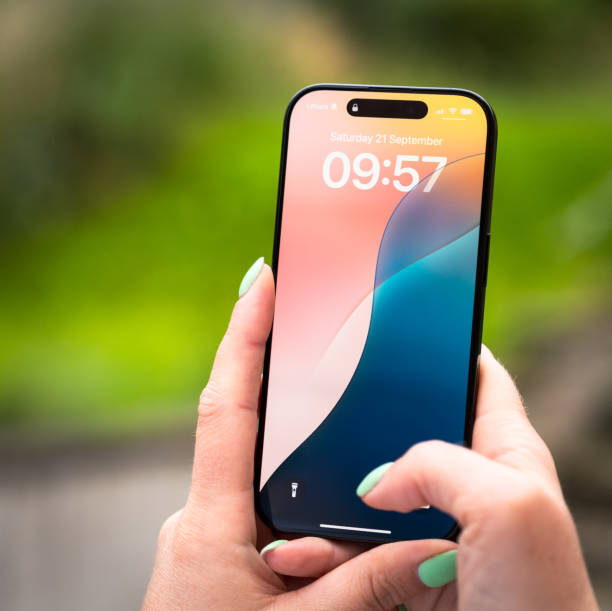
A refurbished iPhone is not a brand-new device fresh from a factory crate, but it is also not a typical “secondhand” phone that was simply packaged and resold.
To put it in the simplest terms possible, it is a mobile device that:
- Was previously owned, traded in, or returned due to a functional defect or manufacturing flaw.
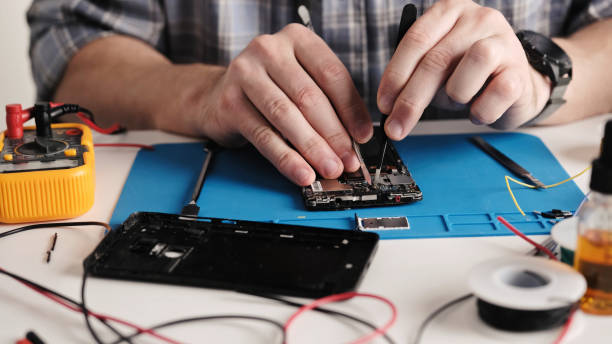
- Was systematically opened up, repaired, tested, cleaned, and completely restored to a functional state for resale.
During this restoration process, vital hardware components like the lithium battery, the display panel, or the charging port assembly are frequently replaced with fresh parts to make the phone operational again.
Refurbished vs. UK-Used iPhones: The Crucial Structural Difference
In open Nigerian markets like Computer Village or online listing spaces, vendors intentionally use “Refurbished” and “UK-Used” interchangeably. This is a massive trap. They are two entirely different categories of hardware, and confusing them will directly affect your phone’s long-term operational lifespan.
| Feature Comparison | Standard UK-Used iPhones | Refurbished iPhones |
|---|---|---|
| Hardware Origin | Imported directly as-is from international users. | Opened up, repaired, or structurally modified. |
| Component Integrity | 100% original factory components remain intact. | Often contains a mix of third-party or aftermarket parts. |
| Cosmetic Wear | May display minor, authentic scratches or scuffs. | Polished or re-housed to look pristine on the outside. |
| Quality Control | Dependent entirely on how the previous owner handled it. | Dependent entirely on the expertise of whoever repaired it. |
The Two Main Tiers of Refurbished iPhones
Not all refurbished iPhones are engineered to the same standard. When scouting the local market, you will encounter two completely distinct classes of restoration:
Tier 1: Manufacturer Refurbished (Official Apple)
These are devices restored directly by Apple’s internal engineers or certified global processing partners. They use 100% genuine Apple replacement parts, install an entirely brand-new outer shell casing, fit an original fresh battery, and provide an official warranty. These units are rare and carry a premium price tag in Nigeria.
Tier 2: Seller Refurbished (Third-Party Repairs)
This represents the vast majority of refurbished iPhones sitting in local glass cases across Nigeria. These devices are opened up and repaired by independent technicians or offshore third-party suppliers before being shipped into our local markets. The component quality varies wildly here, making this category the primary source of hardware risks for unsuspecting buyers.
What the Vendors Will Secretly Never Disclose
To avoid falling victim to a bad purchase, you must understand the exact cost-cutting tricks used in the seller-refurbished supply chain:
- The “100% Battery Health” Illusion: Sellers love pointing at a perfect battery health score. In reality, original worn-out cells are frequently replaced with cheap, low-grade aftermarket batteries. Even though the phone reads “100%,” the actual power capacity is poor, causing it to drain rapidly under a light data load.
- Washed-Out Aftermarket Screens: To save money, damaged high-end Apple displays are often replaced with low-cost clone panels. This third-party swap severely degrades maximum screen brightness, ruins color accuracy, alters touch responsiveness, and shatters easily under minor drops.
- Disabled Biometrics (Face ID & True Tone): If a display panel or front camera array is replaced improperly without specialized software calibration tools, Apple’s security protocols will permanently lock out Face ID, Touch ID, or True Tone functionality.
The 5-Step iOS Hardware Audit Protocol
If you are standing at a retail shop counter or inspecting a device delivered to you, do not let the seller rush your testing process. Take a deep breath and run through this strict diagnostic workflow to uncover hidden flaws:
- Check the Official Parts & Service History:
Apple built a powerful security transparency reporting system directly into iOS. Open the phone interface and navigate to Settings > General > About. If the iPhone has undergone a repair, a dedicated section titled “Parts and Service History” will appear automatically below your serial number.
Look closely at the tags next to the components (Battery, Display, Camera). If you see an “Unknown Part” notification, it means the component is a cheap third-party aftermarket clone or was installed improperly by an uncertified technician.
2. Verify True Tone & Display Uniformity:
Swipe down from the top right corner of the screen to open the Control Center, and long-press the brightness slider. If the icon for True Tone is entirely missing, the display panel has been unofficially replaced.
Next, set the display to max brightness, open a clean white web page, and look closely at the edges for localized light bleeding, uneven bezels, or yellow color distortions.
3. Test Biometric Authentication Systems:
Go directly into Settings > Face ID & Passcode. Attempt to set up your face profile from scratch. If the phone throws an error stating “Face ID is unavailable” or fails to map your face structure, the front TrueDepth camera module has been modified or replaced with an uncalibrated third-party assembly.
4. Audit the Battery & Thermal Stability:
Open Settings > Battery > Battery Health & Charging. If an older model like an iPhone 11 or 12 reads a perfect 100% maximum capacity, treat it with heavy caution. Keep the phone running for a few minutes while recording a high-definition video loop or downloading an app. If the back glass begins to feel hot to the touch quickly or the battery percentage drops by several points in under five minutes, the power cells are worn out or low-grade aftermarket components.
5. Run an International IMEI Blacklist Check:
Go to Settings > General > About, scroll down to find the unique 15-digit IMEI number, and copy it. Open an independent global tracking tool like imeipro.info or sickw.com in your browser. Paste the digits to ensure the device has not been officially blacklisted globally due to theft, insurance fraud, or unresolved contract bills.
Final Verdict: Is a Refurbished iPhone Worth Your Money?
The honest answer depends entirely on your personal budget limitations and your testing discipline.
A refurbished iPhone is worth buying if:
- You are on a tight financial budget but require access to iOS optimization for your online brand or workflow.
- You strictly purchase from verified vendors who provide a functional return window or a store repair warranty.
- You patiently run through the complete hardware audit protocol instead of buying blindly.
It is NOT worth buying if:
- You expect flawless, “like-new” performance out of a dirt-cheap marketplace deal.
- You are uncomfortable asking the seller pointed questions while physically verifying the system settings.
Never rely on smooth verbal promises when investing in secondhand consumer electronics. Take your time, test every component yourself, and prioritize verified hardware health over flashy outer cosmetics every single time.
Navigating the Tech Ecosystem Safely: Just like buying a smartphone, buying a secondhand laptop in our local market requires a strategic, step-by-step technical check to avoid getting burned by shady vendors. To master the exact testing steps for your computing setup, see our comprehensive checklist on how to check a UK-used laptop before buying. If you decide that a reliable android alternative fits your financial space better, review our curated shopping roadmap breaking down the top 5 smartphones under ₦200k in Nigeria.
Sources & Technical References
- Apple Official Support: Review how iOS handles structural part verification directly on the Apple Support Parts and Service History Documentation Portal.
- Apple Display Engineering: Read about structural risks regarding cloned screen assemblies on the Apple Support Genuine iPhone Displays Hub.
- IMEI Pro Verification Services: Verify international clean registry metrics using the data sets at the IMEI Pro Official Identification Database.