Why Your Phone Battery Drains Fast in Nigeria (2026) + How to Fix It (Android & iPhone)
If your phone’s battery doesn’t last nearly as long as it used to, you are definitely not alone. It is an incredibly common daily struggle for smartphone users across Nigeria: you charge your device to a solid 100% before leaving home, only to watch it plummet to 40% or less within hours, or drop dead completely before your day wraps up.
When you are relying on your device for remote work, university assignments, or critical communications during grid blackouts, a rapidly dying phone is a major disaster. Fortunately, excessive battery drain is rarely the result of a permanently broken phone. Instead, it is usually caused by a combination of unoptimized system settings, environmental factors, and poor cellular signal patterns.
This guide breaks down the hidden technical reasons why your phone battery drains so fast in Nigeria and provides a practical, step-by-step blueprint to reclaim your device’s power on both Android and iOS.
Table of Contents
The Battery Culprit Matrix (Hidden System Drains)
1. The Network Signal Search Loop (The Invisible Power Killer)
2. Chemical Aging & The Lithium-Ion Lifecycle
3. The Ambient Heat & Thermal Throttling Factor
The Step-by-Step Battery Preservation Protocol
Healthy Charging Habits to Double Your Battery’s Lifespan
When Should You Be Worried? (Hardware vs. Software)
The Battery Culprit Matrix (Hidden System Drains)
Before diving into detailed settings, review this rapid-reference guide outlining how modern device components impact your daily battery life:
| Battery Culprit | How It Steals Your Power | Impact Level | Easy Fix |
|---|---|---|---|
| Weak Cell Signal | Forces the internal radio power amplifier to “shout” to stay connected. | Extreme | Toggle Airplane Mode or use VoWi-Fi. |
| High Ambient Heat | Speeds up chemical degradation and electrolyte wear inside the cell. | High | Keep phone out of direct sunlight and remove thick cases. |
| Unrestricted Syncing | Apps constantly wake up the processor to fetch background data. | High | Restrict cellular background data. |
| Max Screen Brightness | Drives massive electrical current through display LEDs or OLED panels. | Medium | Turn on Auto-Brightness or Dark Mode. |
| Parasitic Loading | Charging while executing heavy tasks creates dangerous localized heat loops. | Medium | Avoid gaming or heavy streaming while plugged in. |
1. The Network Signal Search Loop (The Invisible Power Killer)
In Nigeria, cellular network stability fluctuates wildly depending on your location, weather conditions, or physical building structures. What most users do not realize is that a weak cellular signal is your phone’s absolute worst battery enemy.
Mobile devices act like small two-way radio stations. When you are in an area with a strong, clean signal, your phone only needs a tiny whisper of radio energy to communicate with the closest cellular tower. However, if you are in a weak signal area or a “dead zone” (indoors behind thick concrete walls, in congested urban areas, or in remote regions), your phone’s Power Amplifier (PA) has to work exponentially harder. It is forced to ramp up its transmission output from a “whisper” to a loud “shout” to maintain a network handshake.
Additionally, the transceiver will constantly scan 4G, 5G, and legacy bands, trying to connect to any available channel. This constant “band hopping” and frequency search loop will drain your battery dramatically, even if the phone is just sitting idle in your pocket.
2. Chemical Aging & The Lithium-Ion Lifecycle
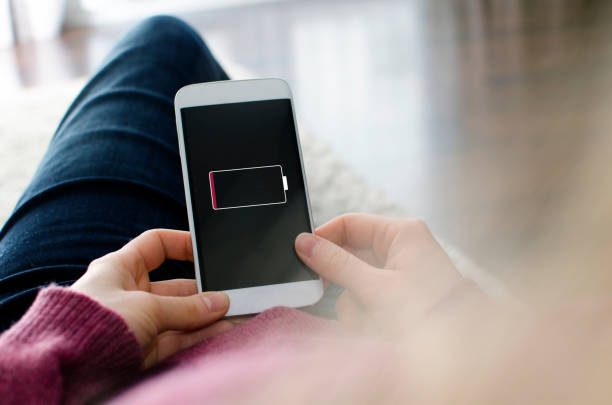
Every smartphone runs on a lithium-ion or lithium-polymer battery. These batteries are chemical engines with a strictly finite lifespan.
As documented in official support data from Apple, older phone batteries (such as the iPhone 14 and older models) are custom-engineered to retain roughly 80% of their original capacity after 500 complete charge cycles under normal conditions. Newer devices, like the iPhone 15, are upgraded to retain 80% after 1,000 complete charge cycles.
Once your battery’s state of health drops below 80%, the internal chemical impedance increases. This results in rapid percentage drops, erratic power reporting, and unexpected system shutdowns under peak processing loads.
3. The Ambient Heat & Thermal Throttling Factor
Our local climate can be highly demanding on sensitive consumer hardware. Lithium-ion batteries operate ideally in temperatures between 0°C and 35°C.
When your device is exposed to temperatures exceeding 35°C (left in direct sunlight, used in a poorly ventilated room during a blackout, or trapped inside a thick plastic case), the chemical reactions inside the battery cell accelerate rapidly. This causes irreversible cathode degradation and electrolyte breakdown, permanently shortening your battery’s storage capacity. If the phone gets too hot, the operating system will also throttle system performance and limit charging speeds to protect the motherboard from permanent damage.
The Step-by-Step Battery Preservation Protocol
Sit down with your mobile device and systematically execute these core diagnostic steps to reclaim your daily power budget:
- Optimize Your Screen Settings:
Your screen is one of the single biggest power consumers on your device. Avoid keeping your display brightness at its maximum setting. Instead, turn on Auto-Brightness (or Adaptive Brightness) so your screen automatically adjusts to surrounding lighting. If your device uses an OLED or AMOLED panel, enable Dark Mode. Since OLED displays completely turn off pixels to show true black, Dark Mode significantly reduces the electrical current running through the display.
2. Restrict Background App Refresh:
Even when closed, heavy apps continue to run in the background, constantly waking up your processor to sync data and send notifications. On Android: Navigate to Settings > Apps, select a heavy app (like TikTok or Facebook), click on Battery, and select Restrict. On iPhone: Go to Settings > General > Background App Refresh and toggle it completely off or restrict it to Wi-Fi only. This stops apps from fetching data behind your back.
3. Enable System-Wide Battery Saver Mode:
Do not wait for your phone to hit 15% before activating your power-saving profile. If you know you will be away from electricity for a long period, turn on Battery Saver Mode (Low Power Mode on iOS) immediately. This native setting automatically disables non-essential syncing and background tasks, slows down the processor frequency, stops automatic app updates, and dims the display to stretch your remaining power by several hours.
4. Manage Radio Connections Wisely:
Unused hardware antennas (GPS, Bluetooth, Wi-Fi) continually scan the environment for nearby connections, consuming valuable energy. Turn them off when you are not actively using them. More importantly, if you are in a location with zero cell reception, toggle Airplane Mode. This cuts off the Power Amplifier’s exhaustive network searches, instantly freezing battery drain. If Wi-Fi is available in a weak signal area, enable VoWi-Fi (Voice over Wi-Fi) to let your phone route calls over the wireless network, which operates much more economically than a weak cellular connection.
5. Audit and Prune Power-Hungry Apps:
Both Android and iOS let you inspect exactly where your power goes. Go to your system Settings > Battery > Battery Usage to see a detailed percentage breakdown of app consumption over the last 24 hours or 10 days. If an app you rarely use is eating up a large chunk of your battery in the background, uninstall it immediately or restrict its network access.
Healthy Charging Habits to Double Your Battery’s Lifespan
To prevent your battery from degrading within a year, adopt these research-backed guidelines from electrochemical testing laboratories like Battery University:
- Follow the 20-80 Rule: Lithium-ion batteries experience the highest physical stress when they are completely full (100%) or completely empty (0%). To maximize your battery’s lifespan, keep your charge levels between 20% and 80%. Charging within this mid-range reduces stress on the cathode and anode materials, slowing down wear.
- Avoid Overcharging Overnight Regularly: Keeping your phone plugged in long after it hits 100% exposes the cells to high-voltage stress for hours. Modern smartphones have smart cut-off switches, but keeping them at peak voltage can still cause minor “parasitic cycles” that wear out the cell.
- Say No to “Parasitic Loads” While Charging: Avoid playing graphic-intensive games or streaming high-definition video while your phone is plugged in. This forces the battery to discharge and charge simultaneously, creating extreme localized heat loops that cause battery swelling and accelerated degradation.
- Always Use Original or Certified Chargers: Cheap, knock-off charging bricks lack proper voltage and current regulation safety protocols. They can pump unstable current into your phone, degrading the battery’s capacity and risking structural explosion or fire.
When Should You Be Worried? (Hardware vs. Software)
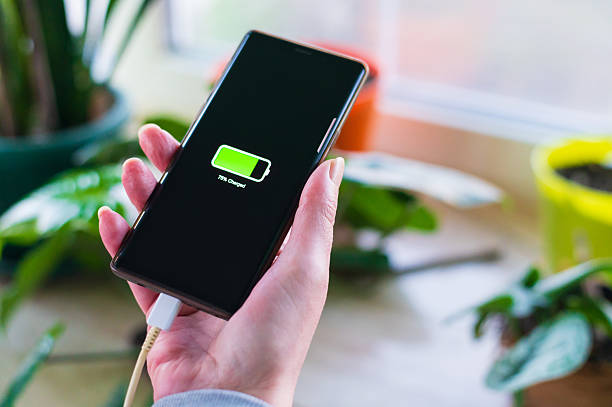
It is normal for batteries to slowly lose charge over a long day. However, you might have a critical hardware failure on your hands if:
- Your battery percentage drops drastically (e.g., from 80% to 20% in 15 minutes).
- The back of your phone is physically swollen or bulging, which indicates gas build-up from over-discharged or damaged lithium cells.
- The phone gets incredibly hot even when resting completely idle on a table.
- The device suddenly shuts down unexpectedly when it still displays 15% or 20% battery remaining.
If you observe these symptoms, do not ignore them. Take the phone to a professional technician to get the battery safely replaced. A simple battery swap is significantly cheaper than purchasing an entirely new smartphone.
Integrating Your Tech Knowledge: Just like protecting your phone’s battery, optimizing your overall tech setup is all about smart system management. If your phone is constantly updating apps and syncing files in the background, it isn’t just killing your battery, it is also aggressively swallowing up your mobile data. To learn how to restrict these processes and make your internet subscriptions last twice as long, read our detailed guide on why your data finishes fast in Nigeria.
If your current device’s battery is completely worn out and you are looking to upgrade to an incredibly energy-efficient mobile setup, review our curated shopping roadmap breaking down the top 5 smartphones under ₦200k in Nigeria. For students who need a secondary, long-lasting study screen that won’t require constant charging during blackouts, check out our selection of the 7 best budget tablets for students in Nigeria. Finally, if you are setting up your work-from-home workstation and want to understand how your computer’s performance handles heavy tasks, check out our explainer on laptop specs explained for real-world use.
Sources & Technical References
- Apple Support: Learn about iOS lithium-ion hardware behavior and health retention cycles on the Apple Batteries Service and Recycling Hub.
- Battery University by Cadex: Review research-backed guidelines on managing lithium-ion micro-cycles and chemical stress on the Battery University Lithium-Ion Charging Guidelines.
- Huawei Digital Power Blogs: Learn about the optimal state of charge and chemical degradation profiles of modern battery cells on the Huawei Lithium-Ion Battery Optimal Charging Guide.
- Signal Diagnostics Technical breakdowns (weBoost): Understand cellular radio transmission behaviors and search loop drains on the weBoost Signal Optimization Resource Hub.