
7 Best Budget Tablets for Students in Nigeria (2026: Affordable & Worth Buying)
Finding a truly reliable tablet as a student in Nigeria is a difficult task, especially when you are working with a tight financial budget.
At first glance inside a tech shop or an online store, many budget tablets look like incredible deals. They boast sleek frames and shiny displays, but the moment you load them up with your actual academic workflow- attending intensive online classes, reading massive 500-page lecture PDFs, or multitasking between research tabs- the illusion falls apart. You are suddenly left with crippling interface lag, a battery that drains before midday, and a “low storage” warning that stops you from downloading critical materials.
This comprehensive roadmap cuts through the marketing fluff. We focus exclusively on budget tablets that actually deliver solid, reliable performance under real-world Nigerian student conditions, not just on a paper spec sheet.
Table of Contents
What Students in Nigeria Actually Need in a Tablet
Managing Expectations: What “Budget” Truly Means
Side-by-Side Student Tablet Comparison Matrix
Deep Dive Profiles of the 7 Best Budget Tablets
Critical Hardware Pitfalls Students Must Avoid
Tablet vs. Phone vs. Laptop: Making the Right Investment
The Final Verdict & Recommendation
.

What Students in Nigeria Actually Need in a Tablet
Before looking at prices, you must evaluate how you will interact with the device daily. A student’s tablet typically handles a specific set of demanding operational tasks:
- Heavy Document Processing: Reviewing scanned lecture notes, slide presentations, and massive textbook PDFs.
- E-Learning Media Integration: Streaming long virtual tutorials, Zoom calls, and online class portals.
- Academic Research: Keeping multiple web browser tabs open simultaneously for project reviews.
- Light Document Typing: Typing out lecture summaries, assignments, or group chat presentations.
To survive this workflow, your tablet needs a balanced baseline of smooth system optimization, reliable battery life, and a display that won’t ruin your eyesight during midnight study sessions.
Hardware Spec Tip: If you want a deep understanding of how chip speed, memory allocation, and hardware components function together under load, check our foundational guide on laptop specs explained for real-world use.
Managing Expectations: What “Budget” Truly Means
Let’s be entirely transparent. When shopping in the budget-friendly tier in 2026, you must align your processing expectations with reality:
- You are not getting high-end 3D gaming performance for heavy titles.
- You are not getting premium, high-resolution cameras for professional photography.
- You are not getting cutting-edge, ultra-fast processors.
However, you absolutely can secure a machine that provides smooth everyday navigation, a resilient all-day battery backup, and a clear, functional display panel. The ultimate goal here is long-term reliability, not flagship perfection.
Side-by-Side Student Tablet Comparison Matrix
| Tablet Model | Main Academic Power | Primary Chipset Platform | Standard Battery Capacity | Display Dimensions |
|---|---|---|---|---|
| Samsung Galaxy Tab A8 | Best Overall Student Pick | Unisoc Tiger T618 (12nm) | 7,040 mAh Battery | 10.5-inch Screen |
| Xiaomi Redmi Pad SE | Best High-Smoothness Screen | Snapdragon 680 4G (6nm) | 8,000 mAh Battery | 11.0-inch 90Hz IPS |
| Lenovo Tab M10 (Gen 3) | Best Metal Build Durability | Unisoc T610 / Similar | 5,000+ mAh Battery | 10.1-inch Screen |
| Amazon Fire HD 10 | Best Budget Battery Life | MediaTek Octa-Core | Long-Life Lithium Pack | 10.1-inch Screen |
| Tecno MegaPad | Best Local Repair Network | Entry-Level Octa-Core | Solid All-Day Capacity | 10.1-inch Screen |
| Samsung Tab A7 Lite | Best Ultra-Portable Compact | MediaTek Helio P22T | 5,100 mAh Battery | 8.7-inch Screen |
| Itel Pad | Best Extreme Budget Option | Entry Android Platform | Baseline Power Pack | 10.1-inch Screen |
Deep Dive Profiles of the 7 Best Budget Tablets
These specific models have been selected based on real-world testing parameters, component reliability, local availability in Nigeria, and true value for your money.
1. Samsung Galaxy Tab A8 (The Best Overall Student Pick)
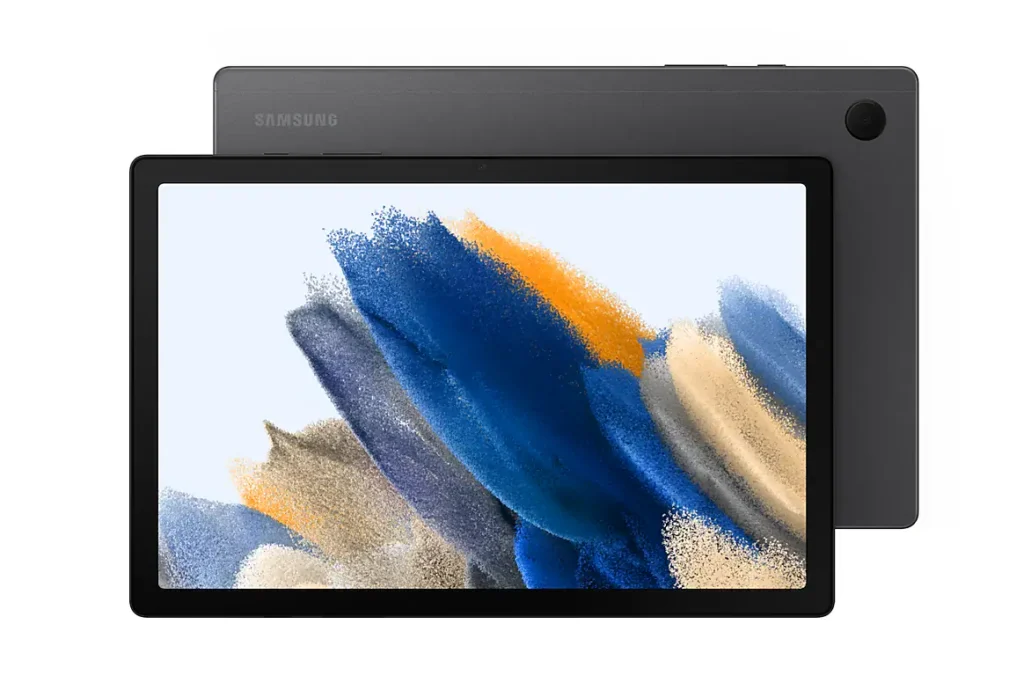
If your absolute priority is stability, a clean software layout, and long-term brand reliability, the Galaxy Tab A8 represents your safest path.
- The Hardware Build: It houses a large 10.5-inch display panel paired with an optimized Unisoc Tiger T618 processor engine. It features a massive 7,040 mAh battery pack that easily handles power blackouts.
- The Student Experience: The large screen real estate is completely optimized for split-screen multitasking. You can comfortably run an online lecture on the left side of the display while taking notes in a Google Doc on the right. Samsung’s software skin is entirely ad-free and incredibly clean.
2. Xiaomi Redmi Pad SE (The Best Display & Smooth Performance)
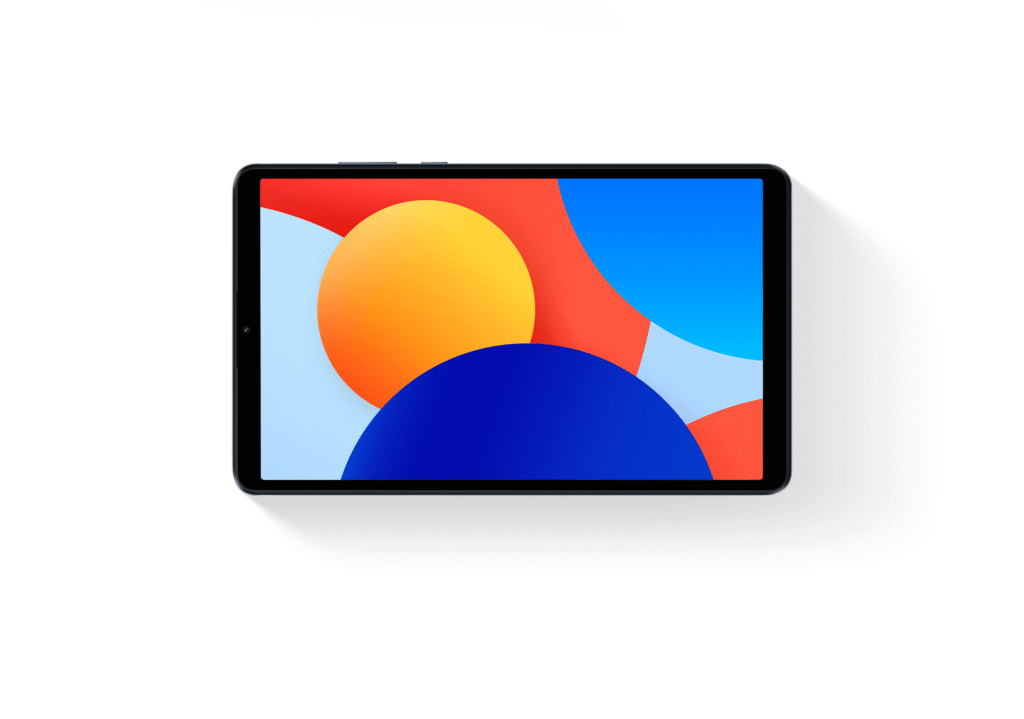
Xiaomi’s Redmi Pad SE is a technical marvel in the budget category. It is designed specifically for students who spend hours reading digital books and scrolling through long research documents.
- The Technical Edge: It runs on a highly efficient 6nm Qualcomm Snapdragon 680 processor and features a large 11-inch IPS LCD. Crucially, it boasts a fluid 90Hz refresh rate display and a massive 8,000 mAh battery cell.
- Why It Wins: Standard budget screens run at 60Hz, which can cause subtle eye fatigue over long periods. The Redmi Pad’s 90Hz panel makes scrolling through PDFs and notes incredibly smooth. Furthermore, the power-efficient Snapdragon chip extracts excellent battery runtimes out of the large cell.
3. Lenovo Tab M10 (3rd Gen) – Engineered for Structural Durability
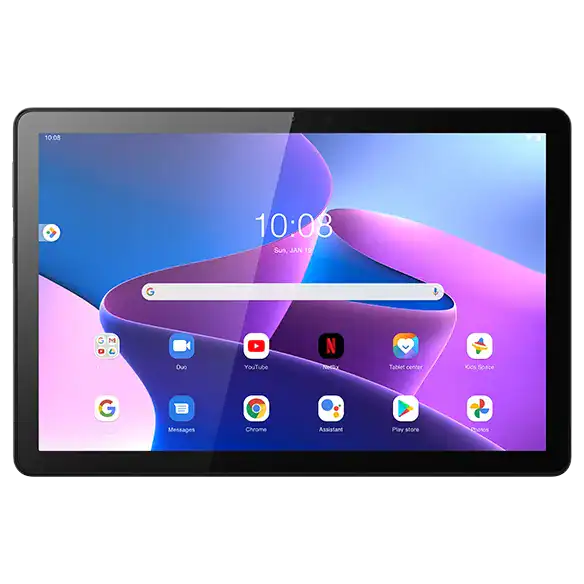
A student’s backpack is a hostile environment. Between packed textbooks, transport commutes, and campus rushes, a plastic tablet will easily bend or crack. This is where Lenovo wins.
- The Structural Build: Unlike generic plastic options, the Tab M Third-Generation features a premium, rigid aluminum alloy unibody frame.
- Real-World Application: It provides highly reliable system performance for core educational tasks like reading, zoom presentations, and web research. If you need a device that can survive the daily transit hustle between home and your campus lecture halls, Lenovo’s tough chassis is an excellent insurance policy.
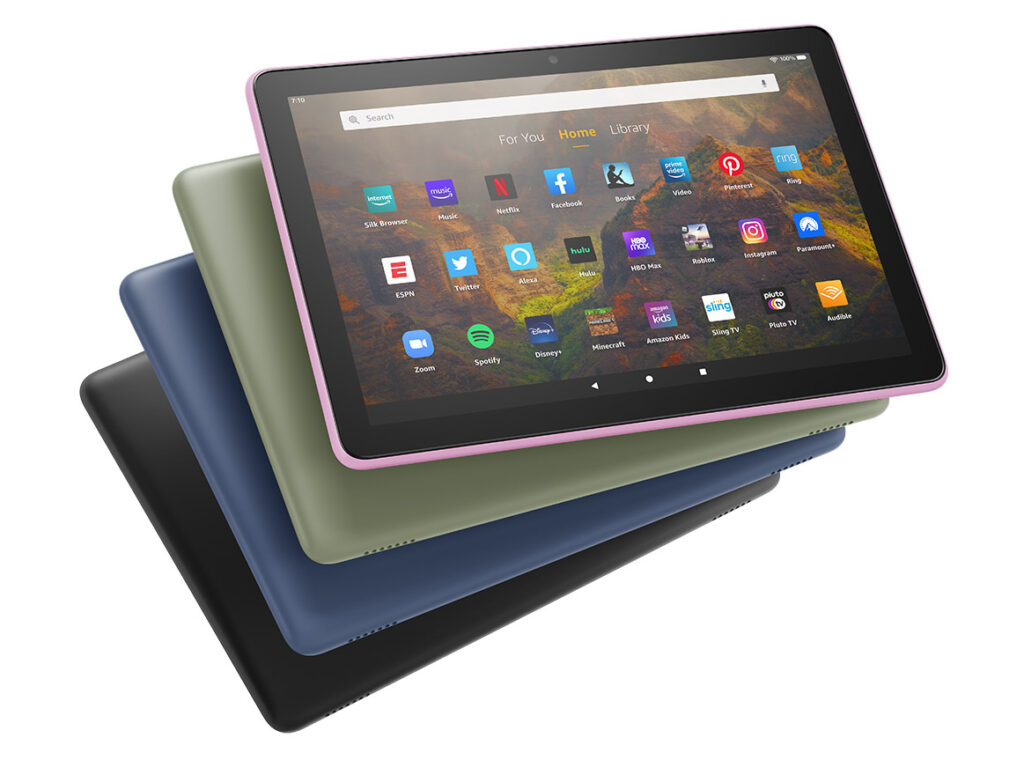
4. Amazon Fire HD 10 (The Cost-Effective Battery Workhorse)
Credit: Amazon
Amazon’s Fire series represents some of the most affordable, highly optimized hardware on the global market, but it comes with an essential technical warning that every student must know.
- The Hardware Power: It offers an incredibly bright Full HD screen, excellent drop-resistant plastic durability, and exceptional battery life.
- The Software Catch: Amazon tablets do not run standard Google Android out of the box. They run FireOS, which means the Google Play Store is entirely missing. To download essential student apps like Google Classroom, Drive, or specific portal browsers, you must follow basic online video tutorials to sideload Google Play Services manually. If you are willing to spend 15 minutes handling this software tweak, the hardware value is unmatched.
5. Tecno MegaPad (The Most Accessible Local Option)
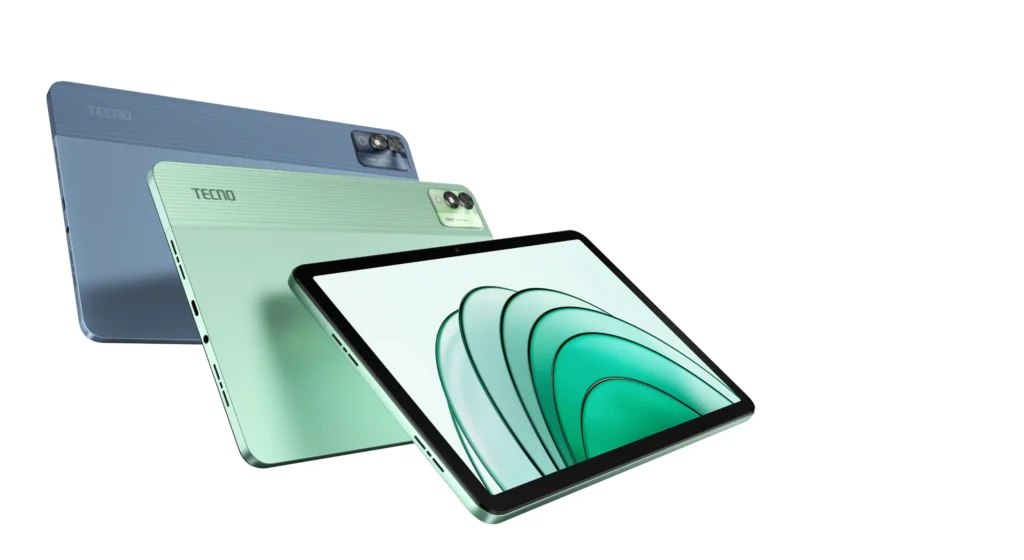
Image credit: Tecno
If you live outside major tech hubs like Lagos or Kano, sourcing international replacement screens or accessories can be difficult. The Tecno MegaPad solves this local logistics issue perfectly.
- Why It Is Relevant: Tecno has established an extensive physical retail and Carlcare support service network across almost every state in Nigeria.
- Performance Delivery: The MegaPad provides a completely budget-friendly, entry-level computing experience. It easily coordinates data browsing, document reading, and video viewing. If your primary focus is local market availability, low component replacement costs, and a local store warranty, this model is a very smart choice.
6. Samsung Galaxy Tab A7 Lite
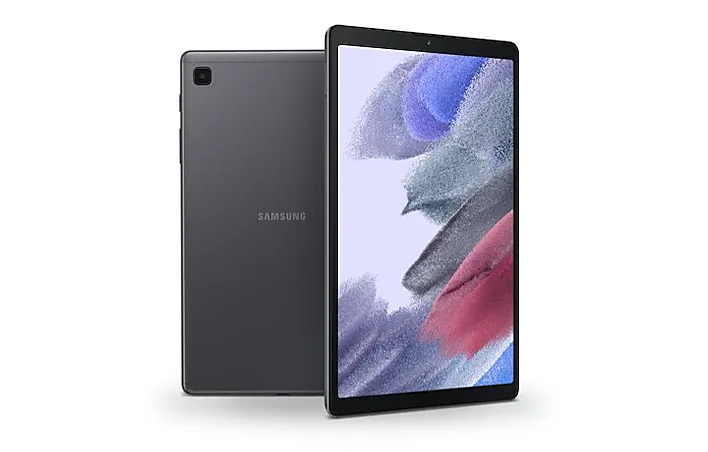
Image credit: Samsung
Not every student wants to lug a massive 11-inch slate around in their hands during transit or short campus movements.
- The Form Factor: It drops the screen size down to a compact 8.7 inches and reduces the overall weight significantly.
- The Operational Sweet Spot: It features a highly durable metal back plate and runs on a reliable 5,100 mAh battery cell. This is the ultimate tool for students who read lecture slides on the move, study while sitting in local transport, or need an agile digital notebook that fits comfortably into a small side-bag.
7. Itel Pad (The Extreme Budget Starter Pack)
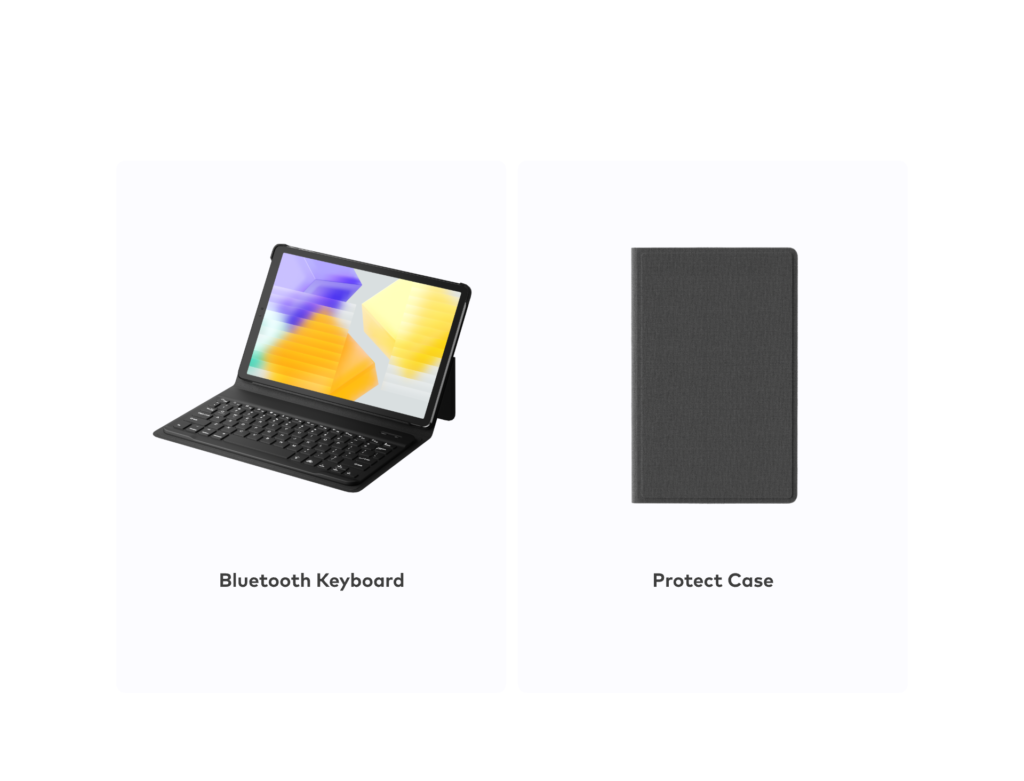
Image credit: Itel
If your academic funds are severely constrained, but you absolutely require a larger display panel to study because your phone screen is too small, the Itel Pad is your baseline entry door.
- What Makes It Unique: Itel targets extreme budget tiers, frequently bundling its baseline tablet models with an included protective folio case and a physical Bluetooth keyboard attachment.
- The Use Case Limit: This device is engineered strictly for basic, light system tasks. It is completely optimized for typing out raw text notes, coordinating academic WhatsApp groups, and running simple text documents. Do not push it with intensive app switching, but respect it as a highly affordable functional typewriter tool.
Critical Hardware Pitfalls Students Must Avoid
When hunting for a device in the open market, protect your money by avoiding these three common traps:
1. Buying Purely on Low Price Tags
A cheap, unbranded tablet will almost always cost you more in structural repairs and mental frustration later. Cheap touch panels frequently stop responding to inputs, and poor motherboard engineering can lead to component failure within months.
2. Accepting 2GB of System RAM
In 2026, modern app architectures require solid memory allocation. A device carrying only 2GB of RAM will freeze up continuously if you attempt to keep a lecture PDF open while browsing a research link. Ensure your choice packs a minimum of 3GB or 4GB of RAM to keep the operating interface fluid.
3. Settling for 32GB of Base Storage
The Android operating system and essential system updates consume over 15GB of space out of the box. If you purchase a 32GB tablet, a handful of downloaded textbook modules and video tutorials will fill the drive. Insist on a minimum baseline of 64GB of internal storage.
Tablet vs. Phone vs. Laptop: Making the Right Investment
To guarantee you aren’t misallocating your academic funds, evaluate where your digital workload actually sits:
[Laptop Needed] --> Heavy coding, software engineering, long thesis typing, advanced data tools.
[Tablet Needed] --> Heavy reading, scrolling through long PDFs, viewing virtual lecture streams, high mobility.
[Phone Needed]  --> Communication, maximum transport portability, basic on-the-go updates.
- Choose a Tablet if: You primarily spend your days reading vast PDF volumes, participating in video calls, and running browser-based research assignments.
- Choose a Phone if: Your absolute baseline priority is communication and maximum pocket-sized portability. (If this is your path, review our curated breakdown of the top 5 smartphones under ₦200k in Nigeria.
- Choose a Laptop if: Your department requires heavy typing, programming, complex software execution, or advanced spreadsheet data processing. (In this case, walk directly into our verified market guide outlining the best budget laptops under ₦300k in Nigeria).
The Final Verdict & Curated Picks
If you have your budget locked down today and need to make a final decision, skip the surface-level hype and purchase using this clear operational standard:
- For the best overall balance of software stability, component reliability, and multitasking execution: Buy the Samsung Galaxy Tab A8.
- For the cleanest, smoothest electronic reading screen to protect your eyes during long study hours: Buy the Xiaomi Redmi Pad SE.
- For an absolute, low-cost entry package to handle basic assignment typing on a tight budget: Buy the Itel Pad bundle.
Sources & Technical References
- GSMArena Tablet Indexes: Review processing specifications and architectural core layouts on the GSMArena Samsung Galaxy Tab A8 Official Data Sheet.
- Xiaomi Global Engineering: Review refresh rate benchmarks and eye protection certifications on the Xiaomi Redmi Pad SE System Specification Database.
- Carlcare Local Support Logistics: Cross-check repair frameworks and component warranties across local channels via the Carlcare Service Support Directory.