
Why Your Data Finishes Fast in Nigeria (2026) + How to Reduce Usage
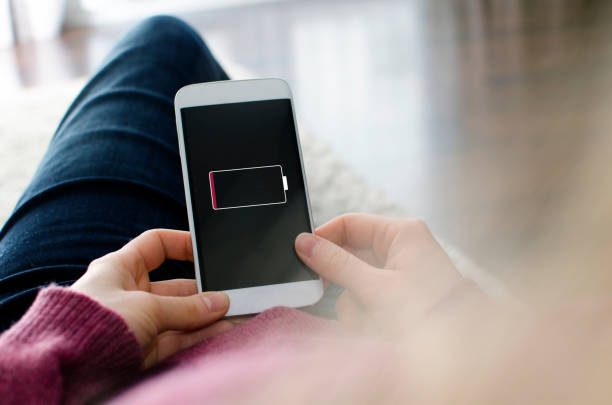
If you have ever purchased a mobile data bundle in Nigeria and watched it vanish into thin air within hours, you are definitely not alone.
The scenario is painfully universal: you subscribe to a 5GB or 10GB data plan today, browse completely normally without executing any heavy file downloads, and by the next morning, you receive a heart-stopping alert that your balance is completely exhausted. It is incredibly frustrating, and it often leaves internet users feeling like their service provider is secretly stealing their subscriptions.
The structural reality is that your data is not mysteriously disappearing. Instead, modern smartphone software and heavy web applications are designed to consume massive amounts of bandwidth in the background in ways that the average user never notices.
This comprehensive guide exposes the hidden mechanics behind rapid data depletion in Nigeria and provides a practical, step-by-step blueprint to dramatically reduce your usage without downloading sketchy third-party apps.
Table of Contents
- The Hidden Mechanics: Why Your Data Finishes Fast
- Data Consumption Matrix by Content Type
- The Step-by-Step Data Preservation Blueprint
- The Smart Data-Saving Habits Matrix
- Budgeting Your Internet: How Much Data Do You Actually Need?
- Final Thoughts

The Hidden Mechanics: Why Your Data Finishes Fast
Most mobile users assume their data balance is only touched when they are actively typing a web address, sending a message, or playing an online video. Unfortunately, that is an outdated view of how modern internet infrastructure functions.
A substantial percentage of your monthly subscription is quietly eaten away in the background while your phone sits completely idle in your pocket.
1. Constant Background App Synchronization
Even when your phone screen is turned off, your primary applications remain hyperactive. Social and communication platforms like WhatsApp, Instagram, TikTok, and Facebook are hardwired to run persistent background processes. They silently use your data connection to constantly sync incoming messages, refresh user algorithmic feeds, and automatically download incoming voice notes or media files so they are ready the instant you unlock your phone.
2. Automated Cloud Backups & System Updates
Your phone’s operating system (Android or iOS) treats your data connection as an open highway. By default, your device is configured to automatically download application patches from the Google Play Store or Apple App Store, process system-wide software updates, and sync your private photos and files to cloud platforms like Google Drive or iCloud. These background downloads can easily wipe out gigabytes of data in a single night without displaying a notification on your screen.
3. Algorithmic Video Pre-Loading
Video consumption is the absolute heaviest drain on any mobile data subscription. Popular multimedia apps like YouTube, TikTok, and Instagram Reels use a rendering technique called “pre-loading” or “caching.” The moment you stop to watch one video, the app silently uses your data link to fully download the next three or four upcoming videos in the feed. Even if you swipe past them immediately, the data has already been completely consumed.
4. The 4G/5G Speed Paradox
Many Nigerians notice that their data finishes exponentially faster when they switch from an older device to a fast 4G or 5G smartphone. This is because high-speed networks change how apps behave. On a slower connection, apps dynamically stream videos in low quality (like 360p or 480p) to prevent buffering. On a lightning-fast 4G or 5G connection, apps automatically scale the default video quality up to Full HD (1080p) or 4K, which swallows up your data package at an alarming rate.
Data Consumption Matrix by Content Type
To help you visualize where your subscription goes, look at how different media formats chew through your internet package:
- Text & Core Messaging (WhatsApp/Telegram Text Only): Consumes roughly 15MB to 30MB per hour. This is extremely light on your wallet.
- Web Browsing & Research (Articles, Blogs, Reading Notes): Consumes roughly 40MB to 100MB per hour, depending on the volume of embedded web images.
- Standard Social Media Scrolling (Instagram/Facebook Feed): Consumes roughly 120MB to 250MB per hour due to heavy images and automatic asset loads.
- Low-Resolution Video Streaming (YouTube/TikTok at 360p): Consumes roughly 250MB to 350MB per hour.
- High-Definition Video Streaming (YouTube/TikTok/Reels at 720p/1080p): Consumes a massive 500MB to 1GB+ per hour.
The Step-by-Step Data Preservation Blueprint
You do not need deep technical engineering skills to reclaim control over your billing. Sit down with your mobile device and systematically execute these core diagnostic steps:
- Hard-Restrict Cellular Background Data:.
This is one of the single most powerful adjustments you can make to stop immediate data leakage. On Android: Navigate to Settings > Apps > See All Apps. Click on data-heavy social apps (like TikTok or Instagram), select Mobile Data & Wi-Fi, and toggle off Background Data. On iOS: Go to Settings > General > Background App Refresh, and set it to either completely Off or restricted strictly to Wi-Fi. This forces applications to entirely freeze their data consumption the second you close them.
2. De-Authorize Automated Store & System Updates:
Stop your phone from executing hidden heavy updates using your mobile subscription. Open your Google Play Store or Apple App Store application, open the core Settings menu, select Network Preferences, and explicitly change the setting for Auto-Update Apps to “Over Wi-Fi Only”. This completely locks out massive multi-gigabyte software updates until you connect to an unlimited home or office network.
3. Force Default Lower Streaming Quality Profiles:
Never let streaming apps decide your resolution configurations automatically. Open your native YouTube app, navigate to Settings > Video Quality Preferences, and set your baseline choice on mobile networks to Data Saver. Similarly, go into your TikTok settings panel, search for Data Saver under the Cache & Cellular section, and toggle it on. This structural adjustment can effortlessly slash your total video streaming data consumption by up to 50% while still maintaining a perfectly clean mobile viewing experience.
4. Activate System-Wide Data Saver Modes:
Both major mobile operating platforms offer a centralized data preservation switch. Navigate directly into your device’s Settings > Network & Internet > Data Saver (or Cellular Data Options on iOS) and switch the main system toggle to On. This global setting limits background data traffic, forces web browsers to compress landing pages, and systematically turns off auto-play mechanics across various apps.
5. Transition to Streamlined ‘Lite’ Application Architectures:
Standard corporate social media applications are packed with background tracking scripts, heavy UI graphics, and automatic preloading systems. If you are running a budget-conscious smartphone setup, remove the full-featured versions of these tools and install their official alternatives, such as Facebook Lite or TikTok Lite. These streamlined variations are engineered from the ground up to use minimal bandwidth, avoid unnecessary media caching, and run smoothly on entry-level hardware.
The Smart Data-Saving Habits Matrix
Reclaiming your data balance is also heavily tied to slight shifts in your daily device interactions. Incorporate these four simple habits to protect your subscription wallet:
- The Cache Trick (Download Offline): If you listen to a specific music playlist daily or watch educational YouTube tutorials during your commute, use a Wi-Fi connection to download them entirely to your device’s local storage. Streaming the same media files repeatedly is a massive waste of data.
- Media Auto-Download Deactivation: Open your WhatsApp Settings > Storage and Data. Under the Media Auto-Download checklist, change all categories (Photos, Audio, Videos, Documents) to “When Connected on Wi-Fi”. This stops your group chats from automatically downloading random video clips and images using your mobile data link.
- Close Idle App Stacks: When you are done using an application, do not just press the home button. Swipe up to access your task switcher interface and aggressively clear out your open application stack to terminate latent connections.
- Deploy Data Tracking Monitors: Set a strict monthly or daily data warning limit directly inside your native Settings > Network & Internet > Data Warning & Limit menu. This gives you an instant popup notification the moment you hit a specific data milestone, preventing unexpected plan exhaustion.
Budgeting Your Internet: How Much Data Do You Actually Need?
Understanding your real digital footprint allows you to buy cost-effective monthly bundles rather than overpaying for daily emergency top-ups. Evaluate where your profile sits on this scale:
- The Light Academic User (2GB – 5GB / Month): Optimized for individuals who use their device strictly for checking text emails, managing WhatsApp student communications, processing banking and utility transactions, and running light web research pages.
- The Moderate Digital User (5GB – 10GB / Month): Tailored for users who mix standard office or school research with occasional social media scrolling, streaming low-resolution educational tutorials, and occasional video calls.
- The Heavy Professional / Media Consumer (15GB+ / Month): Mandatory for content creators, remote workers, software developers, or individuals who stream high-definition video content daily for multiple hours on their primary screen arrays.
Final Thoughts: System Efficiency Across Your Devices
Your data subscription is a finite resource that requires active management. Once you pull back the curtain on hidden background operations and enforce these simple control protocols, you can easily double the lifespan of your data plan and eliminate your monthly internet stress.
Optimizing Your Complete Tech Ecosystem: Securing a highly efficient data plan is only one part of building a great digital workflow. If your mobile hardware is outdated or uses an unoptimized chipset, it will naturally burn data significantly faster while loading basic apps. To find a highly efficient, data-conscious smartphone setup, view our curated market guide on the top 5 smartphones under ₦200k in Nigeria. If you are a student setting up an agile digital workspace, check our reviewed roadmap outlining the 7 best budget tablets for students in Nigeria. If your desktop computer is draining your phone’s mobile hotspot package during work, read our diagnostic breakdown where we have laptop specs explained for real-world use.
Sources & Technical References
- Nigerian Communications Commission (NCC): For official consumer safety metrics on data protection and depletion parameters, view the NCC National Telecom Consumer Rights & Advisory Portal.
- Google Android Core Documentation: Review programmatic methods for limiting background tasks directly on the Android Developers Background Optimization Guidelines.
- Apple iOS Systems Architecture: Learn how background network refreshing impacts cellular bandwidth consumption via the Apple Support: About Cellular Data Settings on iPhone Hub.