

Laptop Specs Explained: What Actually Matters in Real Use (Not Just on Paper)
Buying a laptop in Nigeria can be a deeply confusing experience. Walk into any local shop or computer village, and one vendor will scream “Core i7, very fast!” while another vendor counters with “16GB RAM, no lag!”
Unfortunately, many buyers fall for these buzzwords, only to find their laptop severely slowing down after just a few weeks of use. You are left wondering what went wrong and where your hard-earned money went.
The truth is simple: laptop specifications are frequently misunderstood by buyers and sometimes intentionally misrepresented by shady sellers. Instead of throwing meaningless numbers at you, this guide translates the jargon into what actually matters in real life, especially when operating under demanding Nigerian power and environmental conditions.
Table of Contents
- Why Spec Sheets Alone Can Mislead You
- 1. Processor (CPU): The Generational Trap
- 2. RAM: The True Anti-Freezing Mechanism
- 3. Storage: SSD vs. HDD (The Ultimate Performance Leap)
- 4. Build Quality: Flashy Consumer Plastics vs. Corporate Business Tanks
- 5. Graphics (GPU): Don’t Waste Your Budget
- 6. Display & Keyboard: Your Daily Interface
- The Ultimate Buying Checklist: 2026 Baseline Specs
Why Spec Sheets Alone Can Mislead You
It is a common sight in the local market: two laptops sitting side-by-side with identical pricing and ostensibly matching spec sheets, yet one struggles to load basic web pages while the other flies.
This performance gap occurs because raw numbers don’t tell the full story. To accurately judge a computer, you have to look deeper into four structural factors:
- Processor Generation: The age of the chip architecture dictates its true processing speed.
- Storage Type: Mechanical components will permanently choke performance.
- Cooling Systems: Ambient heat will severely throttle your speeds.
- Build Quality: Cheap materials lead to premature hardware failure.
Let’s demystify these components one by one so you can protect your wallet.
.
1. Processor (CPU): The Generational Trap

The central processing unit (CPU) acts as the literal brain of your computer. The single biggest error buyers make is focusing entirely on the tier of the chip (Core i5 vs. Core i7) rather than checking its microarchitectural generation.
Sellers love to liquidate ancient inventory by shouting “Core i7!” But let’s look at how Intel identifies its processors:
- Intel Core i5-6300U: The “6” indicates a 6th-Generation chip released all the way back in 2015.
- Intel Core i5-8250U: The “8” indicates an 8th-Generation chip.
The Real-Life Truth: A prehistoric Core i7 will feel incredibly slow compared to a much newer Core i5. This happens because chip design hits major evolutionary milestones over time. Official product sheets from Intel show that 8th-Generation mobile processors introduced true quad-core architectures to mainstream chips, effectively doubling the cores and processing threads compared to older 6th-gen or 7th-gen chips.
- The Minimum Baseline: Never buy below a 6th-Generation Core i5.
- The Recommended Standard: Hunt for an 8th-Generation Core i5/i7 or newer to guarantee compatibility with modern operating systems and apps.
2. RAM: The True Anti-Freezing Mechanism

Random Access Memory (RAM) dictates exactly how many applications, background tasks, and browser tabs your laptop can handle concurrently without locking up.
[4GB RAM]  --> High risk of constant lagging, even with just a few basic apps open.
[8GB RAM]  --> The absolute minimum sweet spot for smooth, everyday multitasking.
[16GB RAM] --> Heavy workflows (coding, design, tabs) become completely effortless.
My Practical Advice: In 2026, 8GB of RAM is your absolute non-negotiable minimum baseline. Buying anything less will result in endless daily frustration and system freezes.
3. Storage: SSD vs. HDD (The Ultimate Performance Leap)

If you ignore everything else in this guide, remember this: the type of storage drive inside your laptop is the single biggest hardware upgrade you will actually feel in real-world use.
Traditional Hard Disk Drives (HDDs) are slow, mechanically fragile, and outdated. Solid State Drives (SSDs), on the other hand, use fast electronic flash memory, making them incredibly responsive.
Real-World Boot Time Comparison:
- Standard Laptop with an HDD: Takes anywhere from 2 to 3 minutes just to load the Windows desktop.
- The Exact Same Laptop with an SSD: Boots up completely and is ready to work in 10 to 20 seconds.
The Nigerian Reality Check: According to energy efficiency audits by global hardware brands like ASUS, traditional HDDs require 6 to 15 watts of power to physically spin their magnetic plates, while SSDs consume a mere 2 to 5 watts. For a Nigerian user dealing with constant grid blackouts, an SSD isn’t just about speed, it actively extends your laptop’s battery life by up to 30 to 45 minutes per charge. If a laptop lacks an SSD, it will feel agonizingly slow, regardless of how powerful the processor claims to be.
4. Build Quality: Flashy Consumer Plastics vs. Corporate Business Tanks
This is the design aspect that most budget buyers completely overlook when browsing online or visiting physical open markets. Laptops generally fall into two distinct structural categories:
- Cheap Consumer Laptops: These machines look flashy on display shelves with glossy colors, but they rely on thin, brittle plastic frames that crack easily and warp under local heat.
- Corporate Business Laptops: Designed for enterprise fleets, these models use rigid magnesium alloy, carbon fiber, or high-grade aluminum frames built to survive long-term, rigorous travel and daily wear.
In typical Nigerian operating environments, characterized by high ambient dust, heat, and rugged transit. Durability is a mandatory requirement, not an optional luxury. We have mapped out several highly durable, field-tested corporate models in our detailed breakdown of the best budget laptops under ₦300k.
5. Graphics (GPU): Don’t Waste Your Budget
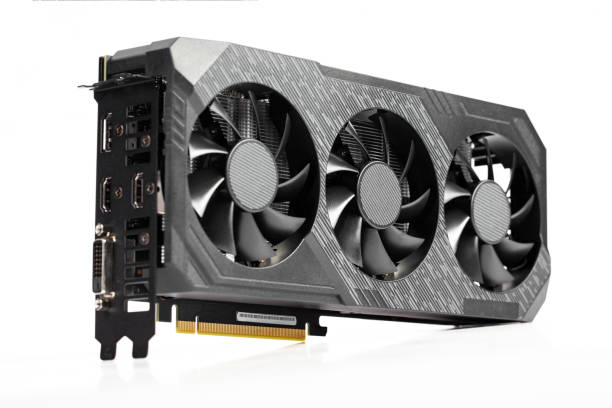
Let’s clear up a major point of confusion: the vast majority of budget-friendly laptops under ₦300k do not feature a dedicated, standalone graphics card. Instead, they rely on “integrated graphics” baked directly onto your main processor.
And honestly? You probably don’t need a dedicated GPU. Integrated graphics are perfectly capable of handling:
- Heavy web browsing and multi-tab research.
- Streaming high-definition 1080p movies.
- Running office suites, text editors, and spreadsheet software.
Do not waste your limited budget chasing a dedicated gaming GPU at this price point. You will only end up sacrificing critical processor power or battery life to get it.
6. Display & Keyboard: Your Daily Interface
Your screen and keyboard are your primary touchpoints. You stare at the display and interact with the keys every single day, so ignoring them during an inspection is a massive mistake.
Always check the panel resolution. Hunt for a Full HD (1920×1080) screen if possible to avoid eye strain, and physically test the keys to ensure they feel comfortable and responsive. Settling for a washed-out, low-resolution display paired with a mushy keyboard is a shortcut to daily workplace frustration.
The Ultimate Buying Checklist: 2026 Baseline Specs
If you are heading out to purchase your machine tomorrow, copy and paste this quick reference spec sheet to keep your vendor honest:
| Hardware Component | Absolute Minimum Requirement PDF | Recommended Specification |
|---|---|---|
| Processor (CPU) | Intel Core i5 (6th Generation) | Intel Core i5 / i7 (8th Gen or newer) |
| System Memory | 8GB RAM | 16GB RAM |
| Storage Drive | 256GB Solid State Drive (SSD) | 512GB NVMe SSD |
| Display Panel | HD Anti-Glare | Full HD (1080p) IPS Screen |
| Chassis Category | Refurbished Corporate Business Model | Refurbished Enterprise Fleet Model |
Final Advice: Look Beyond the Hype
When hunting for a reliable machine, do not let local vendors distract you with flashy phrases like “Core i7” or promises of massive, slow hard drive storage capacities at suspiciously cheap entry prices.
Instead, systematically anchor your search on finding a tight, balanced relationship between modern system performance and proven physical reliability.
Sources & Technical References
- Intel Product Specifications: Review architectural shifts and core counts on the Intel ARK Specification Database.
- ASUS Tech Insights: Learn more about hardware efficiency metrics on the ASUS SSD vs. HDD Performance Analysis Hub.
- EazyPC Refurbished Guide (2026): Read about storage longevity and lifecycle evaluations on the EazyPC Storage Durability & Breakdown Resource.